
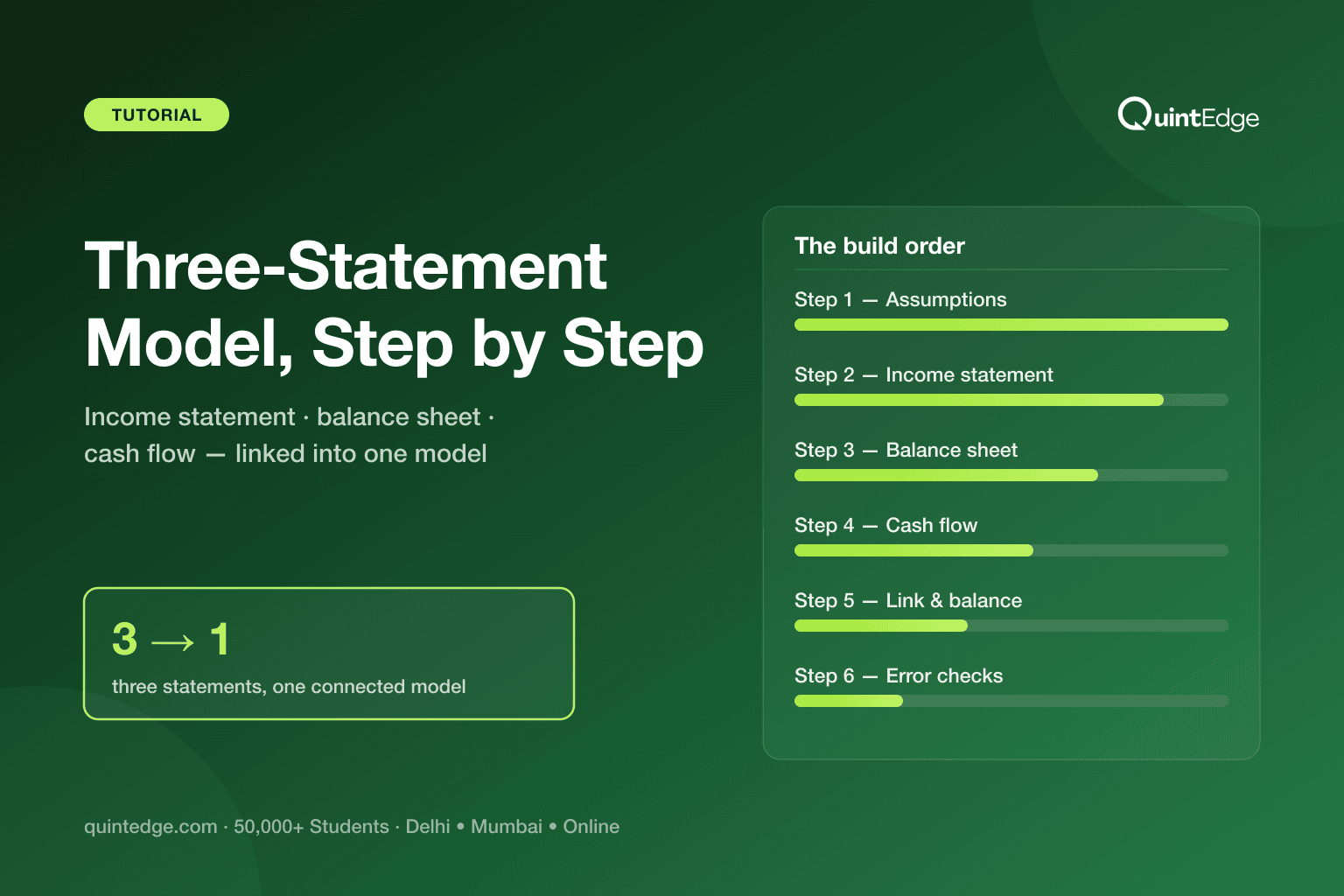
3-Statement Model at a Glance
A three-statement financial model (also called a 3 statement model) is one Excel file that forecasts a company's income statement, balance sheet and cash flow statement together, so all three move in sync when you change one input.
By the end of this guide, you will be able to build one from scratch for a simple company: set assumptions, forecast revenue and profit, project assets and liabilities, work out cash flow, and link the three sheets so the balance sheet actually balances.
Budget 8–12 hours for your first build if you follow the steps below in order. That includes the slow part every beginner hits: chasing down why the balance sheet does not balance the first time.
What Is a Three-Statement Model?
A three-statement model is a set of three linked spreadsheets that project how a company's profit, assets and cash will change over time. You enter assumptions once — like revenue growth or how fast customers pay you — and all three statements update together, because formulas connect them.
Each statement answers a different question about the same company:
| Statement | What it tells you | Covers |
|---|---|---|
| Income Statement | Did the company make a profit this year? | Revenue, costs, profit for one period |
| Balance Sheet | What does the company own and owe right now? | Assets, liabilities and equity at one point in time |
| Cash Flow Statement | Did cash actually come in, and where did it go? | Cash from operations, investing and financing |
One-line takeaway: profit is an opinion, cash is a fact — the three statements exist because a company can look profitable and still run low on cash.
An analogy makes the roles easier to remember. Think of a company like a person managing their own finances. The income statement is like your report card — it scores your performance for one term (revenue in, expenses out, profit as the result).
The balance sheet is like your net-worth statement — a snapshot of what you own (assets) and owe (liabilities) on one specific day. The cash flow statement is like your bank passbook — it shows every rupee that actually moved in or out of your account.
You could score well on your report card (profit) and still have a thin bank passbook (cash) if your customers have not paid you yet. That gap is exactly why analysts build all three statements together, not just one.
Financial modeling itself — the broader skill this guide teaches a piece of — is explained fully in our guide to what financial modeling is if you want the wider picture before you dive into the three-statement build.
How Do the Three Statements Connect?
The three statements connect through a handful of specific links, and one link matters more than the rest: net income flows from the income statement into retained earnings on the balance sheet, and the change in cash flows into the cash balance on the balance sheet. Everything else in the model exists to feed those two links correctly.
Walk through the chain in plain words. This year's profit (net income, the bottom line of the income statement) does not vanish — it adds to a running total on the balance sheet called retained earnings, which is the company's accumulated profit since it started, minus anything paid out as dividends.
Meanwhile, the cash flow statement explains every reason cash moved during the year — from running the business, from investing in equipment, from borrowing or repaying loans. The total change in cash from that statement becomes the new cash balance on the balance sheet.
Because both retained earnings and cash sit on the balance sheet, and the balance sheet must always balance (assets = liabilities + equity), these two links are what make a "balanced" balance sheet possible in a forecast at all. Miss one, and the balance sheet will not balance — which is also the built-in error check you will use in Step 6.
Step 1: Set Up Your Assumptions
Every input your model needs — growth rate, margins, payment terms, tax rate — belongs on one separate "Assumptions" sheet, never scattered across formulas. This is the single habit that separates a model you can update in seconds from one you have to rebuild from scratch.
We will use one small, illustrative example throughout this guide: a simple trading company that buys goods and resells them, with a 5-year forecast — the standard horizon for this kind of model. All figures below are illustrative, not real company data.
| Assumption | Value used (illustrative) |
|---|---|
| Year-1 revenue | ₹100 lakh |
| Annual revenue growth | 10% per year |
| Gross margin | 40% of revenue |
| Operating expenses | 20% of revenue |
| Tax rate | 25% (illustrative — treat as a planning assumption, not a stated law) |
| Days customers take to pay (receivables) | 45 days of revenue |
| Days to pay suppliers (payables) | 30 days of cost of goods sold |
| Opening cash (start of Year 1) | ₹20 lakh |
Takeaway: eight assumptions are enough to drive a full 5-year, three-statement model for a simple company — complexity comes later, not on day one.
Keep every assumption cell visually distinct — a different fill colour is the usual convention — so anyone opening the file instantly knows which numbers are inputs versus which are formulas. If you later build a DCF on top of this model, the same assumptions sheet feeds it; our DCF model guide picks up exactly where this one ends.
Step 2: Build the Income Statement
The income statement starts from revenue and works down to profit, one line at a time, using only the assumptions from Step 1. For our trading company, that means growing revenue at 10% a year, then applying the gross margin and expense percentages to get to profit before tax.
| Line item (₹ lakh) | Year 1 | Year 2 | Year 3 |
|---|---|---|---|
| Revenue | 100.0 | 110.0 | 121.0 |
| Cost of goods sold (60%) | 60.0 | 66.0 | 72.6 |
| Gross profit (40%) | 40.0 | 44.0 | 48.4 |
| Operating expenses (20% of revenue) | 20.0 | 22.0 | 24.2 |
| Profit before tax | 20.0 | 22.0 | 24.2 |
| Tax (25%) | 5.0 | 5.5 | 6.05 |
| Net income | 15.0 | 16.5 | 18.15 |
Takeaway: net income of ₹15 lakh in Year 1, growing at the same 10% pace as revenue because every line is a fixed percentage of it — this is the number that flows into retained earnings next.
Notice every year's revenue formula references only the prior year's revenue and the growth assumption — never a hardcoded number. That is what lets you change one cell on the Assumptions sheet and watch all 5 years recalculate.
Step 3: Build the Balance Sheet
The balance sheet lists what the company owns (assets) and owes (liabilities), plus what belongs to its owners (equity), on the last day of each year. The golden rule never changes: Assets = Liabilities + Equity, and it must hold exactly, every single year.
For our trading company, keep the asset and liability side simple — no fixed assets or debt yet, just working-capital items plus cash:
| Line item (₹ lakh) | Year 1 | Year 2 |
|---|---|---|
| Cash (from cash flow statement) | 27.6 | 43.36 |
| Accounts receivable (45 days of revenue) | 12.33 | 13.56 |
| Total assets | 39.93 | 56.92 |
| Accounts payable (30 days of COGS) | 4.93 | 5.42 |
| Retained earnings (opening + net income) | 15.0 | 31.5 |
| Share capital (unchanged, illustrative) | 20.0 | 20.0 |
| Wait — Liabilities + Equity check | Should equal 39.93 | Should equal 56.92 |
Takeaway: receivables and payables are the only new assets and liabilities this simple company adds — everything else on the balance sheet is cash and retained earnings, both fed by the other two statements.
Receivables and payables are not guesses — they come straight from your Step 1 assumptions. Receivables = 45/365 × revenue; payables = 30/365 × cost of goods sold. This is how "days" assumptions turn into balance sheet numbers.
Step 4: Build the Cash Flow Statement
The cash flow statement starts from net income and adjusts it for everything that affected cash but did not appear on the income statement — mainly changes in receivables and payables for a simple company like ours. It has three sections: operating, investing and financing activities.
| Line item (₹ lakh) | Year 1 | Year 2 |
|---|---|---|
| Net income (from income statement) | 15.0 | 16.5 |
| Less: increase in receivables | (12.33) | (1.23) |
| Add: increase in payables | 4.93 | 0.49 |
| Cash flow from operations | 7.6 | 15.76 |
| Cash flow from investing | 0.0 | 0.0 |
| Cash flow from financing | 0.0 | 0.0 |
| Net change in cash | 7.6 | 15.76 |
| Opening cash | 20.0 | 27.6 |
| Closing cash | 27.6 | 43.36 |
Takeaway: Year 1 net income was ₹15 lakh, but cash from operations was only ₹7.6 lakh — new receivables tied up most of the profit in unpaid customer bills, exactly the profit-versus-cash gap this whole model exists to show.
This is also where interest expense would enter if the company carried debt — using a rate like India's benchmark 10-year G-Sec yield of roughly 6.7% (6.72% on 3 July 2026, per Trading Economics) as a reference point for pricing that debt. Our illustrative trading company has no debt, so it does not apply here, but it is the natural next line once you add borrowing.
Step 5: Link Everything Together (The Balance Check)
Linking means replacing every manually-typed number that appears on more than one statement with a formula that pulls it from where it was first calculated. Do this correctly and one thing happens automatically: the balance sheet balances.
Three links do almost all the work:
- Net income (income statement) → adds into retained earnings (balance sheet).
- Closing cash (cash flow statement) → becomes the cash balance (balance sheet).
- Receivables and payables (balance sheet, from Step 1 assumptions) → drive the change-in-working-capital lines (cash flow statement).
Check the arithmetic for Year 1 in our example: total assets came to ₹39.93 lakh (cash ₹27.6 lakh + receivables ₹12.33 lakh). Liabilities plus equity: payables ₹4.93 lakh + retained earnings ₹15.0 lakh + share capital ₹20.0 lakh = ₹39.93 lakh. They match — the model is linked correctly.
Step 6: Test Your Model
Testing means deliberately checking your model for errors before you trust a single output from it. The core test for any three-statement model is the one you just ran in Step 5: does the balance sheet balance, in every year of the forecast, not just the first one?
Build that check permanently into the model rather than eyeballing it once. Add a row at the bottom of the balance sheet that computes total assets minus (total liabilities + total equity) for every year. It should read exactly zero. If it does not, the error is almost always one of the three links from Step 5.
Two more habits catch the errors a balance check alone can miss:
- Flex-test your assumptions. Change the growth rate from 10% to 5% and confirm every number in all three statements updates — nothing should stay frozen at the old value.
- Sense-check the direction. If you raise the days-to-pay assumption for customers, receivables should rise and operating cash flow should fall. If a change moves a number the wrong way, a formula is broken.
One more idea beginners hear and find intimidating: circularity. In plain words, circularity happens when a formula in your model depends on its own result — the classic case is interest expense depending on a debt balance that itself depends on cash flow, which depends on interest expense.
Our illustrative company has no debt, so it has no circularity — that is one reason to master the debt-free version first. Once you add a debt schedule, Excel will warn you about circular references; the standard fix is a small manual "circularity switch" cell, a technique taught alongside debt schedules rather than in a first build.
What Mistakes Do Beginners Make?
Most first-time errors trace back to the same handful of habits, and every one of them is avoidable once you know to watch for it. Here are the ones that show up most often in a beginner's first three-statement model:
- Typing a number twice instead of linking it. If net income appears as a typed value on the balance sheet instead of a formula pointing to the income statement, the two sheets will silently drift apart the moment you change an assumption.
- Forgetting the balance check entirely. Without a permanent check row, a broken link can sit unnoticed for weeks — build the check in from day one, not after something looks wrong.
- Hardcoding assumptions inside formulas. A "10%" typed directly into a growth formula, instead of referencing the Assumptions sheet, means updating the model later requires hunting through every sheet.
- Skipping the sense-check. A model that balances can still be wrong — balancing only proves the plumbing works, not that the logic makes sense. Always ask whether a change moved the right numbers in the right direction.
- Jumping to complexity too soon. Adding debt schedules, multiple products or tax nuances before the simple version balances just multiplies the places an error can hide.
Each of these is a habit, not a talent — fixing them is mostly a matter of slowing down on your first few models until checking becomes automatic.
How Do You Learn to Build One?
The fastest path is building the model yourself, from a blank sheet, more than once — reading about linking a balance sheet and actually doing it are very different skills. A sequence that works well for someone starting from zero:
- Start with a company you understand. A simple trading or services business, like the one in this guide, is easier to model correctly than a bank or a manufacturer with complex fixed assets.
- Build the assumptions sheet first, every time. Resist the urge to start typing formulas into the income statement before every input has a home.
- Get the balance check to zero before adding anything else. Do not add debt, multiple products or tax complexity until the simple version balances in every year.
- Study a real company's filings next. Once your simple model balances, rebuild it using a real company's published income statement and balance sheet as your starting numbers.
- Learn what comes after. A three-statement model is also the foundation for a DCF valuation and for comparing a company to its peers — see our guide to building a financial model from scratch and our overview of the different types of financial models analysts build on top of it.
If you want structured practice with feedback on your linking — not just your formulas — QuintEdge's Financial Modeling course builds three-statement models, DCFs and comps step by step, with faculty reviewing your file rather than a video you watch passively.
Frequently Asked Questions About Three-Statement Models
A 3 statement model is one Excel file where the income statement, balance sheet and cash flow statement are linked by formulas, so changing one assumption — like revenue growth — updates all three statements together instead of you editing each one separately.
Budget 8–12 hours for your first model of a simple company, most of it spent debugging why the balance sheet does not balance. With practice, experienced analysts build a comparable model in a few hours; the slow part is always learning to link and check, not typing formulas.
Almost always because one of three links is broken: net income is not flowing into retained earnings, closing cash from the cash flow statement is not feeding the balance sheet's cash line, or a working-capital assumption on the balance sheet is not driving the cash flow statement. Check those three links first.
Circularity is when a formula's result depends on itself — commonly, interest expense depends on a debt balance that depends on cash flow, which depends on interest expense. A simple debt-free model, like the one in this guide, has none. Once you add debt, a manual "circularity switch" is the standard fix.
Basic accounting helps but is not a prerequisite — you mainly need to know that assets equal liabilities plus equity, and that profit and cash are not the same thing. This guide's report-card, net-worth-statement and bank-passbook analogy covers the concepts you need before you open Excel.
Most learners move to a DCF model next, since it extends the three-statement model with a discount rate and terminal value to estimate a company's worth today. After that comes comparable company analysis, which values a company against similar listed peers instead of forecasting it directly.
Not quite — a three-statement model is one type of financial model, and usually the foundation for the rest. Financial modeling is the broader skill of building any spreadsheet that forecasts a business or values it, including DCFs, comps and leveraged buyout models, all of which typically start from a three-statement base.


