
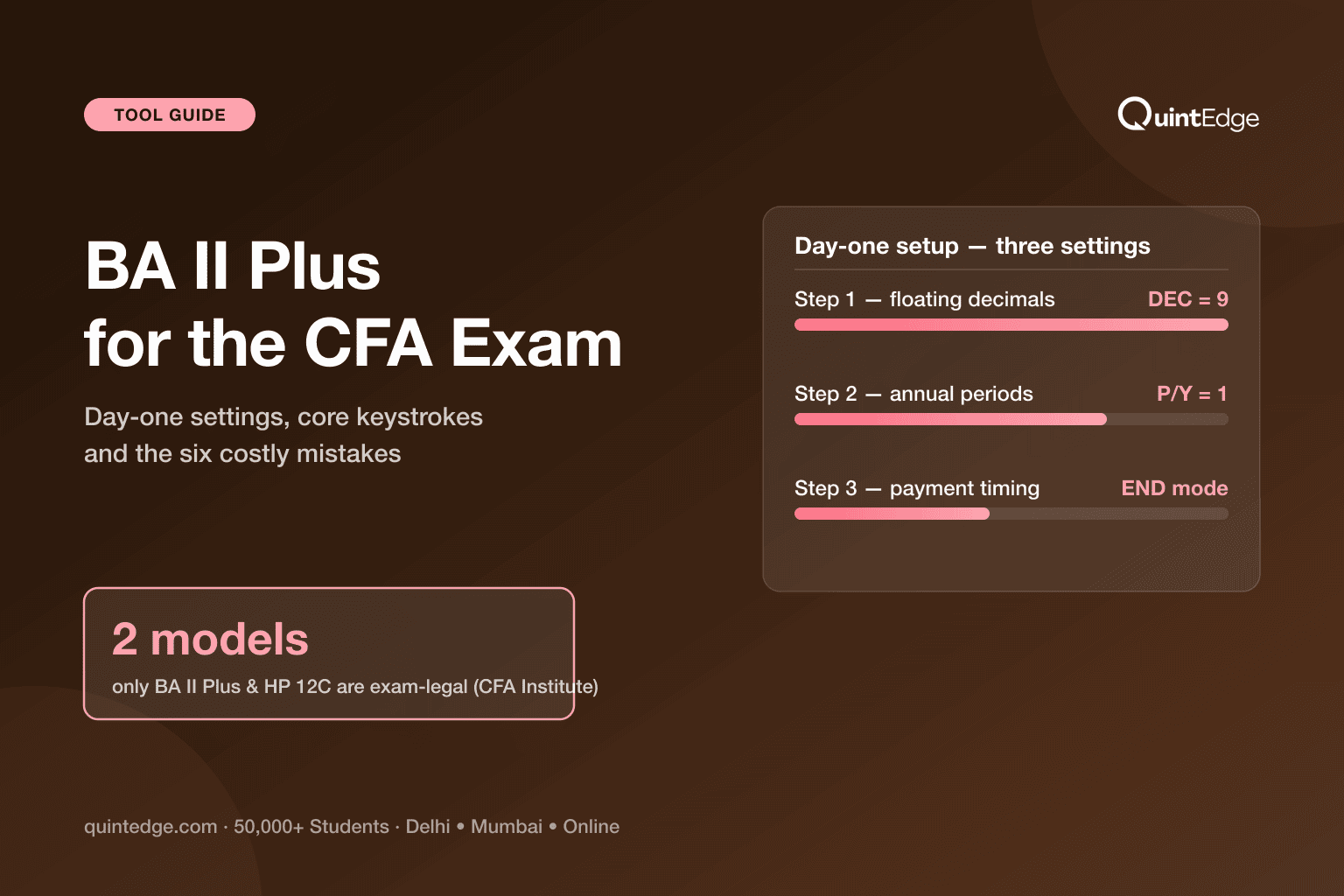
BA II Plus for CFA at a Glance
The Texas Instruments BA II Plus is one of only two calculator models allowed in the CFA exam — the other is the HP 12C — under CFA Institute's calculator policy. Bring anything else and you cannot use it; use an unauthorised one and your results can be voided.
Out of the box, though, the BA II Plus is set up for American mortgage math, not the CFA exam. It assumes 12 payments a year, shows only 2 decimal places, and calculates left to right. Five minutes of one-time setup fixes all three — and knowing five keystroke patterns (time value of money, NPV, IRR, interest conversion, statistics) covers the overwhelming majority of calculator work at Level 1.
This guide is that setup, those patterns, and the six mistakes that quietly cost marks — each with the exact keys to press.
Which Calculators Are Allowed in the CFA Exam?
CFA Institute's calculator policy authorises exactly two models, in any of their editions:
- Texas Instruments BA II Plus — including the BA II Plus Professional
- Hewlett Packard 12C — including the Platinum, 25th anniversary, 30th anniversary and Prestige editions
The exam-day rules around it are strict and worth knowing verbatim. Your calculator is inspected before the exam. You cannot borrow one from the test centre or another candidate, and you cannot share. Using or even possessing an unauthorised calculator can void your results. Permitted alongside it: calculator covers, keystroke cards and loose batteries, plus a small screwdriver for a battery swap. Not permitted: the instruction manual.
Which of the two families should you buy? For most Indian candidates the answer is the BA II Plus, simply because almost every coaching class, tutorial and mock solution — ours included — speaks its key sequence. Here is the honest comparison:
| Model | Entry style | Good reasons to pick it |
|---|---|---|
| BA II Plus (standard) | Algebraic — type numbers the way you read them | Everything the CFA exam needs; the default in Indian classrooms; easiest to find help for |
| BA II Plus Professional | Algebraic | Adds convenience functions (NFV, MIRR, modified duration, payback). Nice, never necessary |
| HP 12C family | RPN — enter numbers first, operation after | Already fluent in RPN from a finance job; faster for some once mastered — steeper start |
Plain takeaway: any approved model passes the exam — the standard BA II Plus is the path of least resistance unless you already speak RPN.
Also useful to know: GARP's own exam policies approve the BA II Plus (including Professional) for the FRM exam too — GARP's list is broader, adding the HP 10BII, 10BII+ and 20B, and lets you carry two units of the same approved model into the exam. One purchase covers both credentials if you ever pair them (FRM planning lives on our FRM exam dates hub).
The Five-Minute Setup Before You Study
Do this once, before your first practice question — like adjusting the mirrors before you drive. Every sequence below starts from the normal calculator screen. The 2ND key reaches the gold functions printed above the keys: press 2ND first, then the key under the gold word you want.
| # | Setting | Press | Why it matters |
|---|---|---|---|
| 1 | Floating decimals | 2ND → FORMAT (the decimal-point key) → 9 → ENTER → 2ND → QUIT | The factory setting shows 2 decimals and hides the rest. DEC 9 shows everything — rounding stays your decision, not the machine's |
| 2 | One payment per year | 2ND → P/Y (the I/Y key) → 1 → ENTER → 2ND → QUIT | Ships at P/Y = 12 (monthly). At 12, an 8% annual rate is treated as 8% ÷ 12 — nearly every TVM answer comes out wrong. C/Y follows to 1 automatically |
| 3 | Payments at period-end | Check the display has no BGN flag. If it shows, 2ND → BGN (the PMT key) → 2ND → SET → 2ND → QUIT | Ordinary annuities (period-end payments) are the exam default. BGN mode shifts every payment one period earlier |
| 4 | Know your calculation mode | 2ND → FORMAT → press ↓ until Chn/AOS shows | Chain (factory) reads left to right: 2 + 2 × 2 = 8. AOS follows textbook order: 6. Either works — pick one on day one and never switch mid-prep |
Plain takeaway: DEC 9, P/Y 1, END mode, one calculation mode forever — settings survive normal switch-offs, so this really is one-time.
The escape hatch: if your calculator ever behaves strangely, 2ND → RESET (the +/− key) → ENTER restores factory settings — then redo the four steps above. TI's own support pages document the same defaults this guide corrects.
How Do the Five TVM Keys Work?
TVM means time value of money — the idea that ₹100 today is worth more than ₹100 next year, because today's money can earn interest in between. The BA II Plus dedicates five keys to it: N (number of periods), I/Y (interest rate per year), PV (present value), PMT (recurring payment) and FV (future value). Fill in any four, press CPT (compute) then the fifth, and the calculator solves it.
One convention runs the whole machine: money leaving you is negative, money coming to you is positive. An investment you pay out today is a negative PV; the amount you receive at the end is a positive FV. Enter both as positive and the calculator either refuses (Error 5) or returns nonsense.
Worked example (illustrative): you invest ₹1,00,000 today at 8% a year for 10 years. What do you get back?
| Step | Press | Display |
|---|---|---|
| Clear old TVM values | 2ND → CLR TVM (the FV key) | 0 |
| Periods | 10 → N | N = 10 |
| Rate | 8 → I/Y | I/Y = 8 |
| Outflow today | 100000 → +/− → PV | PV = −1,00,000 |
| No recurring payment | 0 → PMT | PMT = 0 |
| Solve | CPT → FV | FV = 2,15,892.50 |
Plain takeaway: clear first, enter four knowns with correct signs, compute the fifth — ₹1 lakh at 8% for 10 years grows to about ₹2.16 lakh.
The habit that saves the most marks: press 2ND → CLR TVM before every single problem. The five registers remember old values even after the screen clears — like a whiteboard that keeps last class's numbers unless you wipe it. Wipe it every time.
How Do You Calculate NPV and IRR?
When cash flows differ year to year, the five TVM keys are not enough — you switch to the Cash Flow worksheet (the CF, NPV and IRR keys). NPV (net present value) tells you what a project is worth today after funding costs; IRR (internal rate of return) tells you the percentage return the project itself earns.
Worked example (illustrative): a project costs ₹10,000 today and pays ₹4,000 at the end of each of the next 3 years. Your required return is 10%.
| Step | Press | Meaning |
|---|---|---|
| Open + wipe the worksheet | CF → 2ND → CLR WORK (the CE|C key) | Old cash flows erased |
| Today's outflow | 10000 → +/− → ENTER → ↓ | CF0 = −10,000 |
| Yearly inflow | 4000 → ENTER → ↓ | C01 = 4,000 |
| It repeats 3 times | 3 → ENTER | F01 = 3 (frequency) |
| Price it at 10% | NPV → 10 → ENTER → ↓ → CPT | NPV = −52.59 |
| Project's own return | IRR → CPT | IRR ≈ 9.7% |
Plain takeaway: outflow in with a minus, inflows with their frequency, then NPV prices the project and IRR grades it — here NPV is slightly negative at 10%, and IRR confirms the project earns only about 9.7%.
Read those two answers together and the story is complete: the project returns 9.7% while you demanded 10%, so at your required rate it destroys ₹52.59 of value — reject it, or fund it more cheaply. That is exactly how Level 1 corporate finance questions want you to think, and the F01 frequency trick above is what keeps long cash-flow questions inside the exam's 90-second budget.
Which Other Worksheets Matter for Level 1?
Two more worksheets earn their keystrokes at Level 1; the rest you can safely meet later. (Full topic context in our Level 1 overview.)
Interest conversion (ICONV) — turns a quoted nominal rate into the effective annual rate after compounding. A loan quoted at 12% compounded monthly (illustrative): press 2ND → ICONV (the 2 key), then 12 ENTER at NOM, ↓ to C/Y, 12 ENTER, ↓ to EFF, CPT — the true yearly cost is 12.68%, not 12%. Banks quote nominal; analysts compare effective. This worksheet is the bridge.
Statistics (DATA/STAT) — mean and standard deviation without formulas. Enter a return series, say 8, 11, −3, 12, 7 (illustrative): 2ND → DATA (the 7 key), then each value with ENTER → ↓ ↓ (skipping the Y prompts). Then 2ND → STAT (the 8 key), arrow down: mean x̄ = 7, sample standard deviation Sx ≈ 5.96. Set the mode to 1-V (one-variable) with 2ND → SET if it shows anything else.
The Bond and Amortisation worksheets exist and work well — but at Level 1 nearly every bond question is faster on the plain TVM keys (price = PV of coupons and face value). Learn the worksheets when Level 2's depth demands them; do not spend scarce prep hours there now. If a shortcut is not saving you time, it is costing you time.
What Are the Six Costliest Calculator Mistakes?
Every one of these shows up in mock reviews constantly. Each costs marks not because the concept was unknown, but because the machine was mis-set. Symptoms first, so you can diagnose your own:
- 1. P/Y still at 12. Symptom: TVM answers wildly off — often by exactly a factor-of-12 flavour. The factory default divides your annual rate by 12. Fix once: P/Y = 1 (setup step 2), then handle monthly problems by converting the rate and periods yourself.
- 2. BGN mode left on. Symptom: a tiny BGN flag on the display, and every annuity answer slightly too large. You solved one annuity-due question yesterday and never switched back. Fix: 2ND → BGN → 2ND → SET until the flag disappears — and make checking that corner of the screen a reflex.
- 3. Not clearing TVM between problems. Symptom: the second problem inherits the first problem's PMT or FV. The registers remember until wiped. Fix: 2ND → CLR TVM before every problem — the whiteboard habit.
- 4. Ignoring the sign convention. Symptom: Error 5 on IRR or I/Y computes, or answers with absurd signs. All flows entered positive means no rate can connect them. Fix: outflows negative via the +/− key, inflows positive — see the timeline figure above.
- 5. Trusting two displayed decimals. Symptom: intermediate answers look clean, final answer misses the option by a whisker. DEC 2 rounds the display, and re-typing displayed numbers compounds the loss. Fix: DEC 9, and chain calculations inside the machine instead of re-entering.
- 6. Forgetting which calculation mode you are in. Symptom: 2 + 2 × 2 gives 8 when you expected 6 (or the reverse). Chain reads like a sentence, left to right; AOS follows textbook precedence. Fix: pick one on day one, write it on your formula sheet, never toggle mid-prep.
Plain takeaway: five of the six are settings, not skills — the day-one setup plus the CLR TVM habit removes almost every calculator error you will ever make.
How Do You Drill Keystrokes Before Exam Day?
Calculator fluency is a physical skill — closer to typing speed than to understanding. Three habits build it without stealing hours from actual study (they fit inside the weekly grid from our CFA-while-working playbook):
- Solve keys-first from week one. Every practice question involving money through time gets the full keystroke treatment — no mental shortcuts, no spreadsheet. The 25-question evening sets in our Level 1 study plan double as calculator drills if you let them.
- Use one physical calculator throughout. Practising on a phone app and sitting the exam with unfamiliar plastic under your fingers wastes seconds per question — and the exam gives you about 90 per question. Muscle memory lives in the hands.
- Rehearse the failure drill once. Before the exam, swap the battery once at home with your small screwdriver, and reset + re-set-up the calculator from scratch in under two minutes. Exam rules allow loose batteries and the screwdriver in the room — carrying them turns a dead calculator from catastrophe into a three-minute pause.
Buying in India is straightforward — the BA II Plus is stocked by major online marketplaces and authorised TI resellers. Order early enough to drill with the exact unit you will carry, and take it to every mock. For live windows and what else to carry on exam day, check our CFA exam dates hub.
Frequently Asked Questions About the BA II Plus
Only two models, per CFA Institute's calculator policy: the Texas Instruments BA II Plus (including the Professional edition) and the Hewlett Packard 12C (including Platinum, anniversary and Prestige editions). Calculators are inspected on exam day, borrowing or sharing is banned, and using an unauthorised model can void your results.
The standard BA II Plus does everything the CFA exam requires. The Professional adds convenience functions like net future value, MIRR, modified duration and payback period — pleasant extras, never necessary. Buy the Professional if the price difference does not bother you; skip it without worry if it does.
Neither is objectively better — both are exam-legal and fully capable. The HP 12C uses RPN entry (numbers first, operation after), which some professionals find faster once mastered. The BA II Plus types the way you read. In India nearly all coaching, tutorials and mock solutions use BA II Plus keystrokes, which makes it the practical default unless you already know RPN.
Yes. GARP's exam policies approve the TI BA II Plus and BA II Plus Professional for the FRM exam, alongside the HP 12C family and the HP 10BII, 10BII+ and 20B — and GARP even allows two units of the same approved model in the exam room. One calculator covers both credentials, and the muscle memory transfers fully.
You cannot borrow from the centre or another candidate — that is explicitly banned. Your protection is preparation: CFA Institute permits loose batteries and a small screwdriver in the testing room, so carry a fresh battery and practise the swap once at home. A two-minute battery change beats an hour of mental arithmetic.
Not in the exam — only the physical approved models enter the testing room. Apps and emulators are fine for casual practice on a commute, but do your serious drilling on the physical calculator you will carry: exam-day speed lives in your fingers, and an on-screen keypad trains the wrong ones.
The instruction manual is not permitted in the testing room. CFA Institute's policy does allow calculator covers and keystroke cards along with loose batteries and a small screwdriver. Treat the keystroke card as a safety net, not a strategy — if you need it during the exam, you have already lost the time the card was meant to save.


